🗨️ Find or Chat
Entering the chat section, you'll see elevator doors with two buttons.
Press up or down based on where you want to go.
Once the doors open, you’ll enter the elevator.
Inside, you’ll find buttons for three destinations: Basement, Ground Floor, and Rooftop.
Each floor represents a different type of chat experience:
– When you select a button, the screen shows your current destination.
– Choosing the Basement takes you to a darker, anonymous chat option.
• Use a public display name and an optional image URL.
• No password needed — you're logged in anonymously.
• Max 5 users can be online at once. The 6th sees "Room Full".
• It's a one-on-one private message system.
• You’ll see how many are online.
• Incoming messages pop up automatically, initiating chats instantly.
• Chats remain unless you log out, clear app data, or the other user does.
• You can receive and send messages individually.
• YouTube URLs auto-play videos directly in the chat.
• Annoyed by someone? Use the gear icon to ignore them.
• Your identity stays hidden — perfect for introverts.
– Choosing Rooftop enters a group chat room (max 20 users).
• Block or unblock users at will.
• Radio streaming available at the top.
• Images can be shared directly, but URLs aren't supported.
• If no message is sent for 1 hour, all messages auto-delete.
• Users must stay respectful — violations lead to IP bans.
• You can mention or reply to others using tags.
• No inappropriate profile pics via image URLs allowed.
• This space is for extroverts who like talking to strangers.
– Selecting Ground Floor links you to the creator's Discord server.
• Voice chats are allowed in group format.
• Cannot be accessed from within the app — you must use the Discord app externally.
• No further explanation needed here.
Finally — who are the users?
It could be you or a stranger.
You can invite your friends and chat together within the app.
What’s the benefit?
This is a completely separate platform.
No one outside your interaction can see your messages.
Group messages are visible only to current participants.
And yes — after 1 hour, even those messages vanish for newcomers.
🎮 Fun and Play
Entering the game option, you’ll see a round red mouse pad at the bottom.
Use it to place the white cursor over your desired option.
Currently, there are three options.
When the cursor is on an option and it lights up, click the yellow button beside the mouse pad.
The three options are:
Offline:
Once you enter offline mode, you can play even without internet.
This is the classic Tetris game.
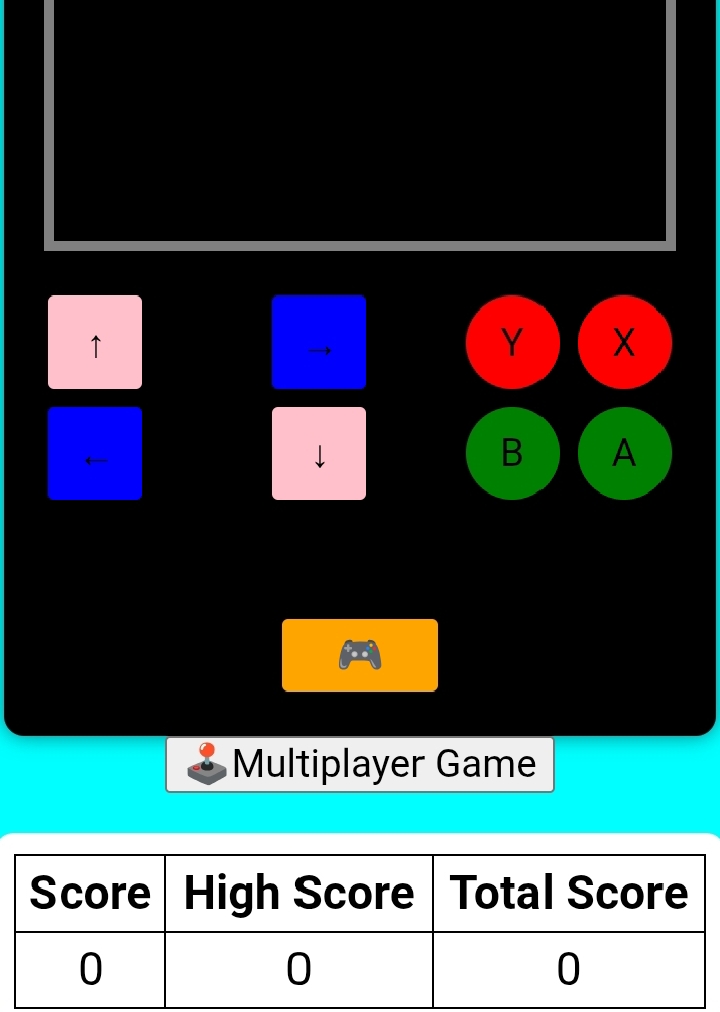
Controls are:
X – Rotate block
A – Get a different block of the same type
B – Drop block immediately
Y – Get a completely different block
Arrow keys move the block sideways.
Click the 🎮 button below to start.
Score, High Score, and Total Score are shown at the bottom.
High and Total Scores persist until app data is cleared.
Multiplayer:
Welcome to the Draw-wise game, a completely separate online platform.
All players are real.
Login to save your points and coins.
If you prefer not to share personal info, choose a username and an image to enter directly.
You can join public rooms or create your own private room.
Private rooms can be disposed of or saved for later.
Gameplay:
- Five players take turns.
- The active player picks a word and draws its image.
- Others guess within time.
- Correct guessers earn points.
- The drawer earns points if everyone guesses correctly.
- Turns rotate among players.
- After the game, points and coins are awarded, and levels increase.
Shooting:
This is another separate platform.
First, you download some resources.
Wait patiently for loading.
Once inside, you can join a room, join a live game, or host a room.
Invite friends with the room name or password.
All players are real-time.
Many customization options and maps available.
This shooting game is similar to Counter-Strike: Global Offensive.
🖌️ Projects and Skills
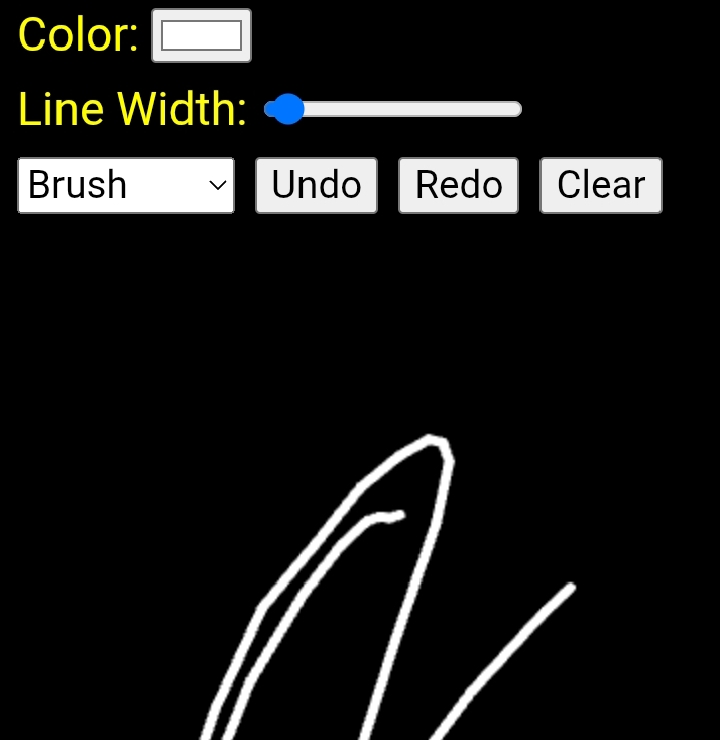
The Idea section is similar to the classic MS Paint.
Whether or not you use Adobe Illustrator, improving your drawing skills here can be very helpful.
Features you’ll get:
- Clear: erase mistakes instantly.
- Undo/Redo available.
- Draw freely with the brush.
- Adjust brush size bigger or smaller.
- Draw straight lines using the line tool.
- Create shapes like rectangles and ellipses.
- Use the eraser tool with adjustable size.
The most fun and important tool is the Bucket.
- One click fills an area with color.
- Be mindful: if there are gaps, the color may spill outside.
- The brush, line, and shapes use the selected color.
- You can pick any RGB-supported color, including custom colors.
- On PC, you can auto-select colors matching your drawing.
Note:
- On phones, rotating the screen may disrupt drawing, requiring you to redo.
- On PC, resizing or zooming the image can cause drawing issues.
🖨️ Resources and Tools
The Download option was originally created to access resources.
But now, it serves as your personal resource storage.
Inside, you’ll see a lock like a briefcase, luggage, or bank vault with four rotating dials.
Set your PIN by rotating the wheels.
Warning: If you forget your PIN next time, you won’t be able to unlock it.
You’ll need a reset code, which will erase everything and reset the storage.
What can you do inside?
- Upload any image.
- Upload videos up to 10MB.
- Store as much as you like, as long as you don’t clear app data.
- Clearing app data deletes all stored content.
Remember:
If you forget the PIN and reset, all data will be lost — and that’s your responsibility.
The core idea is to store your important resources here for easy access and download.
However, downloads cannot happen inside the app itself.
You must use a browser to download.
But the download must be done from the same account.
🎧 Relax and Calm
Experience the nostalgic feeling of classic songs in the Music section.
At the bottom, there is a wheel to scroll forward to the next song.
At the top corner, another wheel lets you scroll backward to the previous song.
Try spinning them to navigate songs.
Click the center to play the current song.
Click the bottom button to view a dynamic beatbox.
Double-click the top button to open the music library list.
Use the left or right arrows to find previous or next songs.
Enjoy a great mix of English and Hindi songs.
📼 Learn
🎵 Video Section for Music Listening:
- You can enjoy high-quality Hindi songs in full screen.
- Although the song titles are hidden, you can remember the video number to find your favorite.
- New videos are regularly added to expand your listening experience.
- Each song is available in ultra-high quality, with crisp sound and clear visuals.
- Use Previous and Next to switch between songs effortlessly.
- Includes a dedicated full-screen option within the player for immersive viewing.
- Need to pause? Use the Play/Pause buttons any time to control playback.
- All videos load quickly, even in low-light environments, ensuring a smooth experience.
- Enhanced performance and superior quality make this the best way to enjoy Hindi music videos.
🏟️ Connect and Discover
Welcome to the Gallery, where new features are regularly added.
To receive updates, you must reinstall the app or clear its data. Even without updating the app, new gallery items appear, but clearing app data is essential to access them.
Currently, the Gallery offers:
- A scientific calculator supporting multiple calculation types.
- Duolingo learning area to learn various languages without login.
- A world-famous dictionary providing brief English meanings of words and new vocabulary with usage examples.
- A Quran section for beautifully reading and viewing the Quran.
- A medicine section listing drug names, prices, effects, usage, and more.
- The largest platform to read any kind of book worldwide.
- Full HD quality new and old movies, with occasional viewing restrictions.
- A TV section including global channels; some may not play if marked with a YouTube icon.
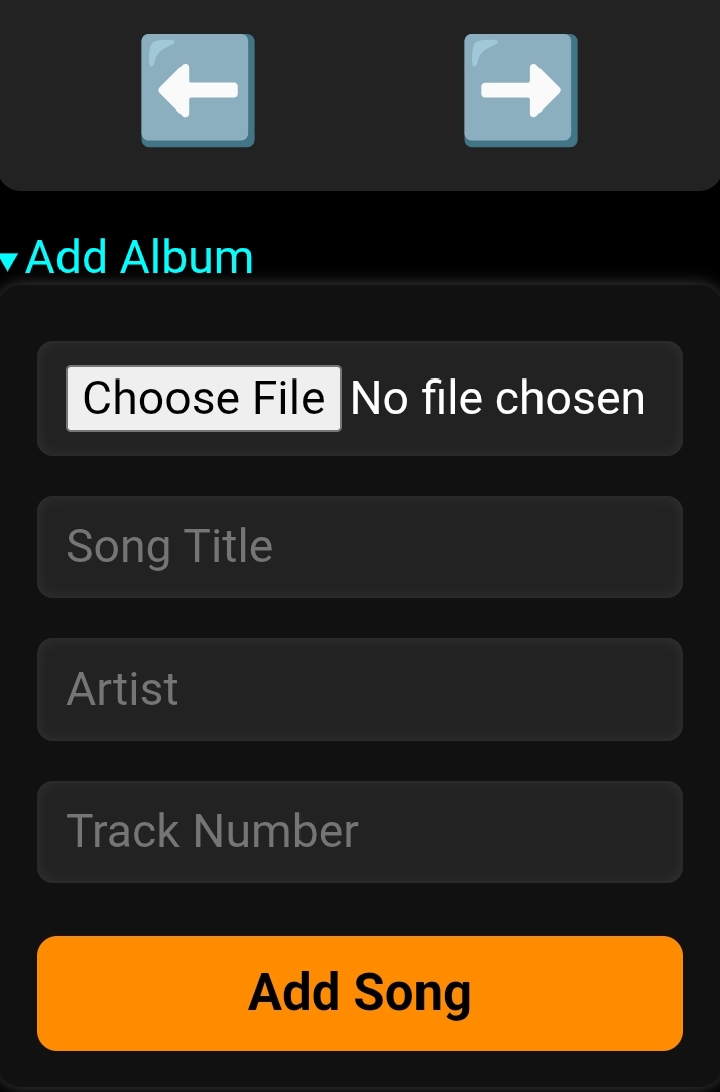
- A music section featuring Hindi, English, Bengali, and other songs; also allows uploading your own songs via a separate app.
- Voice recording option: mobile recording may be limited, but you can upload pre-recorded audio and share links anywhere.
- Temporary mail service accessible only outside the app via browsers, including document reception.
- Utility tools including compass and various utilities.
- Weather section showing satellite-based weather details like temperature and wind speed worldwide.
- Notice boards of major public universities in Bangladesh with direct access by clicking icons.
- News section providing local, international, and various types of news.
- An advanced AI analytics tool to explain any topic, fetch resourceful images, and assist research.